Leo · 2026-10
NAS storage tiering for AI data means splitting a dataset across media speeds: labeled training sets on SSD or NVMe, current-cycle capture on RAID-protected disks, finished project data on archive drives. Size the hot tier to the active training set, not the whole dataset, and move anything older than one project cycle down a tier.

Pilot projects hide this problem well. A camera or sensor line that adds a few terabytes a week feels manageable until month three, when the disks fill mid-training and the team buys capacity twice: once in a panic, once correctly. Planning the tier split first avoids the panic purchase.
This guide walks the planning arithmetic in order: tier shares, RAID haircuts, network line rates and the questions to put to a supplier before the purchase order. Every formula below is short enough to run in a spreadsheet.
AI pipelines produce several distinct data streams, and they age at different speeds. Raw capture footage waits for labeling. Labeled datasets get read repeatedly during training. Model checkpoints change hourly. Inference outputs and audit logs accumulate quietly in the background.
Tiering assigns each stream a home:
Economics drive the split. Flash carries a higher price per terabyte than spinning disk, so letting cold logs occupy it is waste. Spinning disks, meanwhile, are slow enough that training jobs on the wrong tier stall. Each stream belongs where its access pattern pays for the media.
Start by classifying what your pipeline actually produces. Most teams find five categories:
Drive reliability data belongs in this decision too. Backblaze publishes failure statistics for the drives it runs (queried October 28, 2026, at Backblaze Drive Stats), and the annualized failure rates there are a fair input when you weigh which drives deserve the warm tier and which should hold the archive. Capacity per dollar is not the only axis; replacement effort is a cost as well.
The table below is the reference we suggest pinning above the purchase order:
| Tier | Typical medium | Access pattern | Share of dataset | Why it sits there |
|---|---|---|---|---|
| Hot | SSD / NVMe cache | Random reads, many small files | roughly 15–20% | Training throughput depends on it |
| Warm | HDD (RAID-protected) | Sequential reads, weekly | roughly 55–65% | Capacity per dollar carries the most weight |
| Cold | HDD archive / offload | Reads rare, writes once | roughly 20–30% | Retention, not performance |
Those shares are planning starting points, not constants. A team running many short experiments skews hot; a compliance-heavy deployment skews cold.
Consider a hypothetical quality-inspection team at a mid-size electronics assembler. Twelve inspection cameras, one model retrained monthly, raw clips retained for audit. The storage planner’s job: pick a NAS that survives a quarter without intervention.
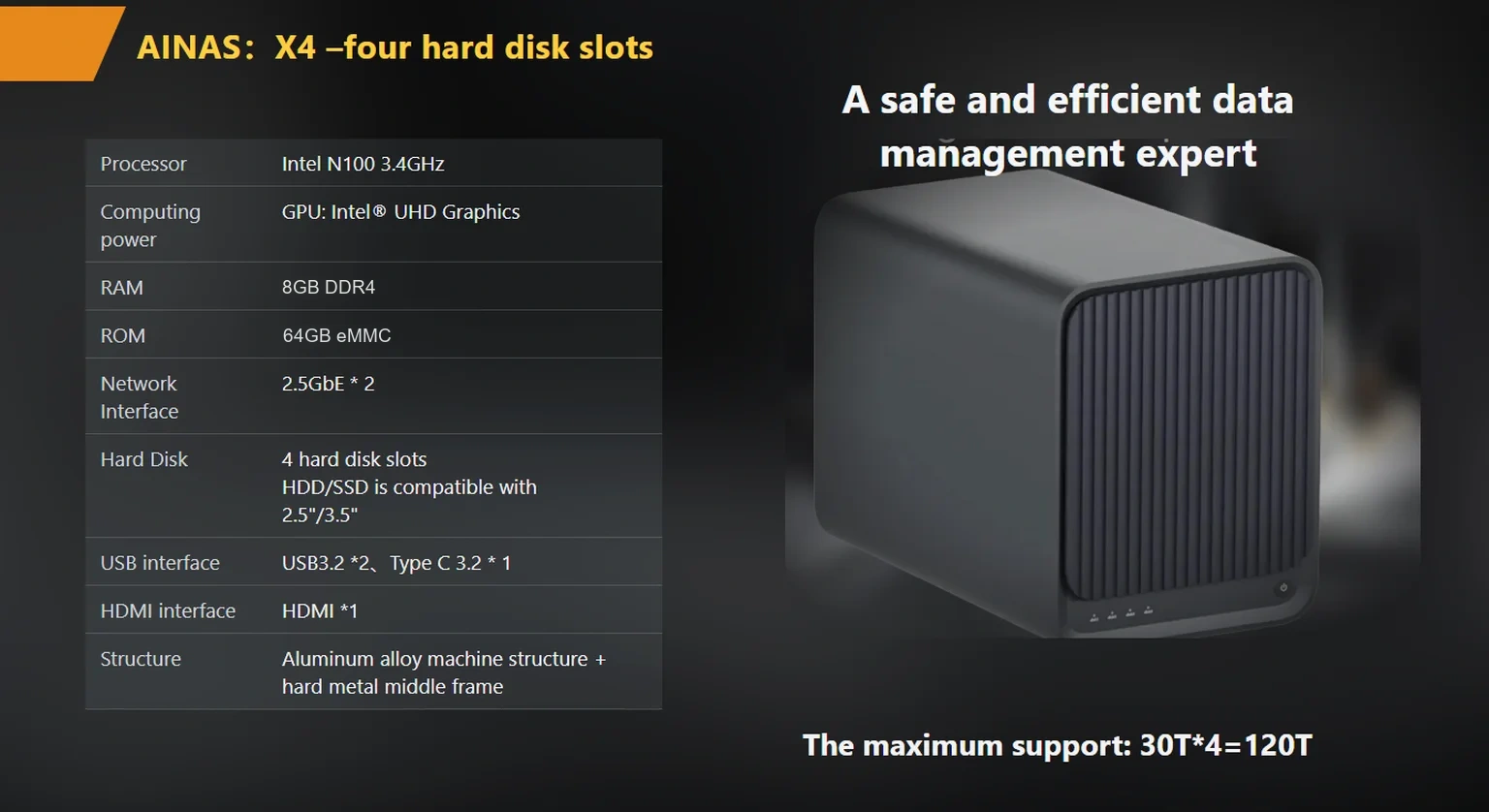
Start with raw capacity. Four 12 TB drives give 48 TB raw. The published X4 specification lists RAID 0/1/5/6/10, so RAID 5 is available; its usable capacity is:
Usable = raw × (n − 1) / n = 48 TB × 3/4 = 36 TB
Filesystem formatting and snapshots typically trim another 5–10%, so plan on roughly 32–34 TB of practical space (this is an illustrative estimate, and the exact overhead depends on the filesystem you run).
Now split it. This example allocates 6 TB hot for the active labeled set and checkpoints, 22 TB warm for the current quarter’s raw capture, and 8 TB cold for prior-quarter logs. The arithmetic closes: 6 + 22 + 8 = 36 TB. When the warm tier crosses roughly 80% full, the oldest quarter graduates to the cold tier or an offload target. That threshold, checked monthly, is what keeps the appliance from filling mid-training.
If the budget only covers one upgrade here, spend it on warm-tier disks, not a faster CPU. Training jobs stall on capacity far more often than on compute at this scale. That is an editorial judgment, but one we would defend.
How does the same 48 TB become 24, 36, or 48 TB? The RAID level decides, and buyers routinely underestimate the haircut:
One caution belongs here. RAID protects against a disk failing. It is not a backup, and no RAID level will save a tier you accidentally delete or encrypt. Cold-tier data worth keeping should have a second copy somewhere else, on a schedule you actually test.
Retirement of old media deserves a line in the plan as well. When archive drives leave service, the data on them leaves with the hardware, and NIST’s media sanitization guidance (SP 800-88 Rev. 1) is the reference most IT policies point to for deciding between a wipe and physical destruction. Compliance-heavy deployments should settle that question before the first drive ships out, not after.
Buyers face three hardware routes for the hot tier, and they differ in cost and in behavior. SSD cache accelerates random reads but sits in front of the disks rather than holding a dataset. NVMe slots hold a real working set at high speed. An all-flash array does both, at a price per terabyte that most pilot budgets refuse.
How do you choose? Match the route to your read pattern. Training jobs that re-read the same labeled set all week benefit from a real hot tier on NVMe; a small cache serving file browsing will not survive that workload. This is where NAS storage tiering for AI data stops being abstract: the hot tier has to physically hold the working set, or the training job will queue on disks regardless of cache speed.
The published X4 specification lists OEM NVMe cache slots as an option, which is one route to a hardware-backed hot tier without moving to an all-flash chassis. The A2 Pro and S2, built around RK3568 with a 1 TOPS NPU, target edge inference and lighter pipelines rather than large training reads, so treat the bay count and network ports as the deciding axis there.
A practical sizing rule: keep the hot tier at or above the size of your largest single labeled set. If that set is 6 TB and the available cache configuration holds less, either split the set across shards or accept the warm tier and plan longer training windows. Guessing here costs more than measuring, so run one training week and log the read volume first.

Capacity math is only half the plan. AI workloads move large files between workstations and the NAS, and the network, not the disks, often sets the ceiling.
Check the line rate before the price tag. A 1 GbE link carries 1000 Mb/s ÷ 8 = 125 MB/s as a theoretical maximum; in practice, expect somewhat less once protocol overhead is included. A 2.5 GbE link works out to 2500 Mb/s ÷ 8 = 312.5 MB/s on paper. As a worked example (illustrative, rounded), pulling a 2 TB labeled set takes on the order of 4.7 hours at gigabit line rate, versus about 1.8 hours at the 2.5 GbE line rate. Real-world throughput is typically lower than these figures. Several passes per week, and the gigabit link becomes the ceiling your team blames on “slow storage.”
Check the ports before the price. The published X4 specification lists 2×2.5GbE with link aggregation or failover up to 5 Gbps, which addresses exactly this ceiling. The S2 smart hub carries a single 2.5GbE port, which suits smaller pipelines (for example a two-bay deployment feeding one or two workstations).
Capacity planning ends at a purchase order, so turn the arithmetic into questions for any supplier you are evaluating for NAS storage tiering for AI data:
For teams that want one appliance covering the first three lines, the woCyber X4 (a 4-bay enterprise NAS built around Intel N100, with OEM NVMe cache options) is a reasonable starting point to evaluate: products/x4-nas-server. woCyber runs research and development in Beijing and mass-production manufacturing in Shenzhen, ships with a standard 3-year warranty, and takes OEM orders from 100 units per model, so capacity questions can go to the factory before you commit.
Two further reads cover the adjacent decisions: the cold-data tiering plan in enterprise-nas-cold-data-storage and the hardware requirements list in ai-ready-nas-hardware-requirements. For budget framing across the whole deployment, how-to-budget-for-on-premise-storage walks the total-cost side.
Whichever supplier you shortlist, run the three-tier split on your own data first. The table, the RAID formula and the throughput line-rate arithmetic above are enough to produce that split in an afternoon, and it is the single document that turns a storage purchase from a guess into a plan.
Tell us your application, capacity target and deployment scenario — our engineers return a configuration proposal with tiered pricing within one working day.
Key takeaways An FCC-recognized lab must hold the right scope for your device's rule part, not just any accreditation. A 2-bay NAS…
November 3, 2026Shared storage for deskside AI clusters refers to a storage appliance on the office LAN that holds datasets, checkpoints and embeddings for…
November 3, 2026A cloud storage subscription cost is the recurring fee a business pays to keep its files on a provider's servers, billed per…
Ask our export team for the OEM/ODM cooperation guide and a written quotation.
