Leo · 2026-09
Storage budgets are usually built on the assumption that the capacity a company pays for is the capacity its work requires. According to CTERA’s Cold Data Storage Report, which examined 856 enterprise NAS file-share discovery scans covering 16 petabytes of production data, only 4.4% of stored capacity had been modified inside a 90-day window, only 9.9% was accessed at all in that period, and 83.1% of capacity sat in files untouched for more than a year (reported by StorageReview, 15 September 2026; the underlying report is published at CTERA).
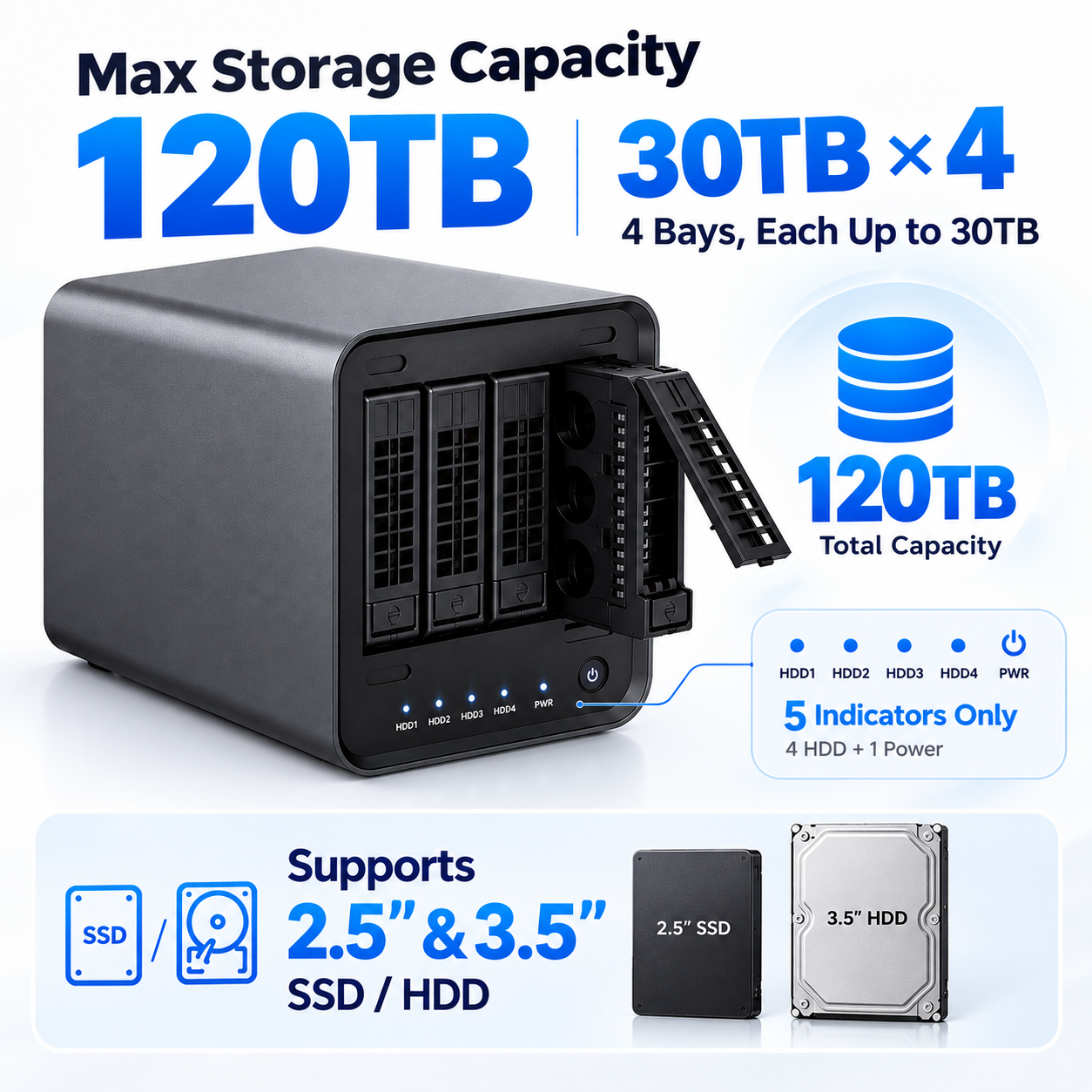
Enterprise NAS cold data storage is the share that nobody reads but everybody funds, and a tiering plan is how it stops occupying the tier your team and your retrieval tools actually work from. An archive tier is a storage layer sized for data that must be retained but is not read daily — the opposite of the working set.
Treat the measurement above as a planning instruction rather than a statistic about somebody else’s rack. When most of what a company of 100 to 200 staff stores has not been modified in a year, the question stops being whether to add bays and becomes where the cold share should live, and how fast it has to return.
Primary storage tends to absorb archive duty by default, because nothing forces a decision: the files stay in the same shares, under the same permissions, behind the same backup job. The cost of that default shows up in three places. Capacity that could hold next year’s working set is occupied by material nobody opens. Every backup pass, snapshot and replication job carries the cold share along with the data that is actually in use. And everyone with access to the daily shares can reach a decade of superseded documents — including the retrieval tools you point at the file estate, which then rank outdated material beside current material.
Tiering is the counter-move. It separates retention from placement: data stays retained, but it stops occupying the tier that is sized, replicated and indexed as if it were active.
Measure capacity, not file count. According to the same CTERA dataset, 97.5% of individual files had not been modified in more than a year, yet those files accounted for 83.1% of total capacity — which means file-count dashboards systematically understate the problem and capacity dashboards capture it. A measurement pass does not need new software if the file system already records last-modified and last-access timestamps:
This is the measurement that turns enterprise NAS cold data storage from an opinion into a quantity you can plan hardware against.
Adding capacity to the primary array is the simplest move and the one that changes least. New bays do not alter access patterns, so the cold share continues to ride through every backup, snapshot and replication cycle, and the same scanning tools keep crawling it. Expansion also spends capacity on protection rather than on data: parity consumes drives in every RAID layout, so a four-bay array with one parity drive makes three quarters of its raw capacity available, and a two-drive parity layout makes half.
The alternative is to stop buying capacity for data you are not reading and start buying the correct kind of capacity for it — which is a placement decision, made once, instead of a purchase repeated every budget cycle.
A workable on-premises layout usually settles into four bands rather than two. The bands are defined by access expectation, and each band carries different hardware assumptions:
| Band | Data that belongs here | Expected access | Hardware decision |
|---|---|---|---|
| Working set | Live projects, current documents, datasets under active review | Daily reads from many users | Fastest network path and the larger memory allocation |
| Warm | Recently closed projects, completed quarters, reference material | Weekly or occasional reads | Same appliance, lower priority, still online |
| Cold archive | Files unmodified beyond one year, retained for obligation or history | Rare reads, must stay reachable | Dedicated capacity sized from the measurement, not from the total |
| Off-appliance archive | Data with a defined retention end date and no retrieval expectation | Exceptional reads | Separate medium, catalogued, documented |
The practical distinction is between cold and offline. AI retrieval and search tools need the archive tier online; only data with no retrieval expectation belongs on separate media.
For example, take a hypothetical 96 TB file estate at a 120-person engineering firm. Applying the cold share the report measured — 83.1%, according to CTERA — to that estate gives 83.1% × 96 TB = 80 TB of archive set, and the remaining 16 TB forms the working set. Sizing a 4-bay appliance against that archive set is then arithmetic rather than judgement:
That trade-off is the actual decision. RAID 6 tolerates a second drive failure during a rebuild and costs capacity; RAID 5 keeps more room for data and leans on having a spare drive and a restore path ready. For an archive tier that grows slowly and is read rarely, the capacity usually buys more than the extra parity drive does — but only when the rebuild risk is genuinely managed elsewhere.
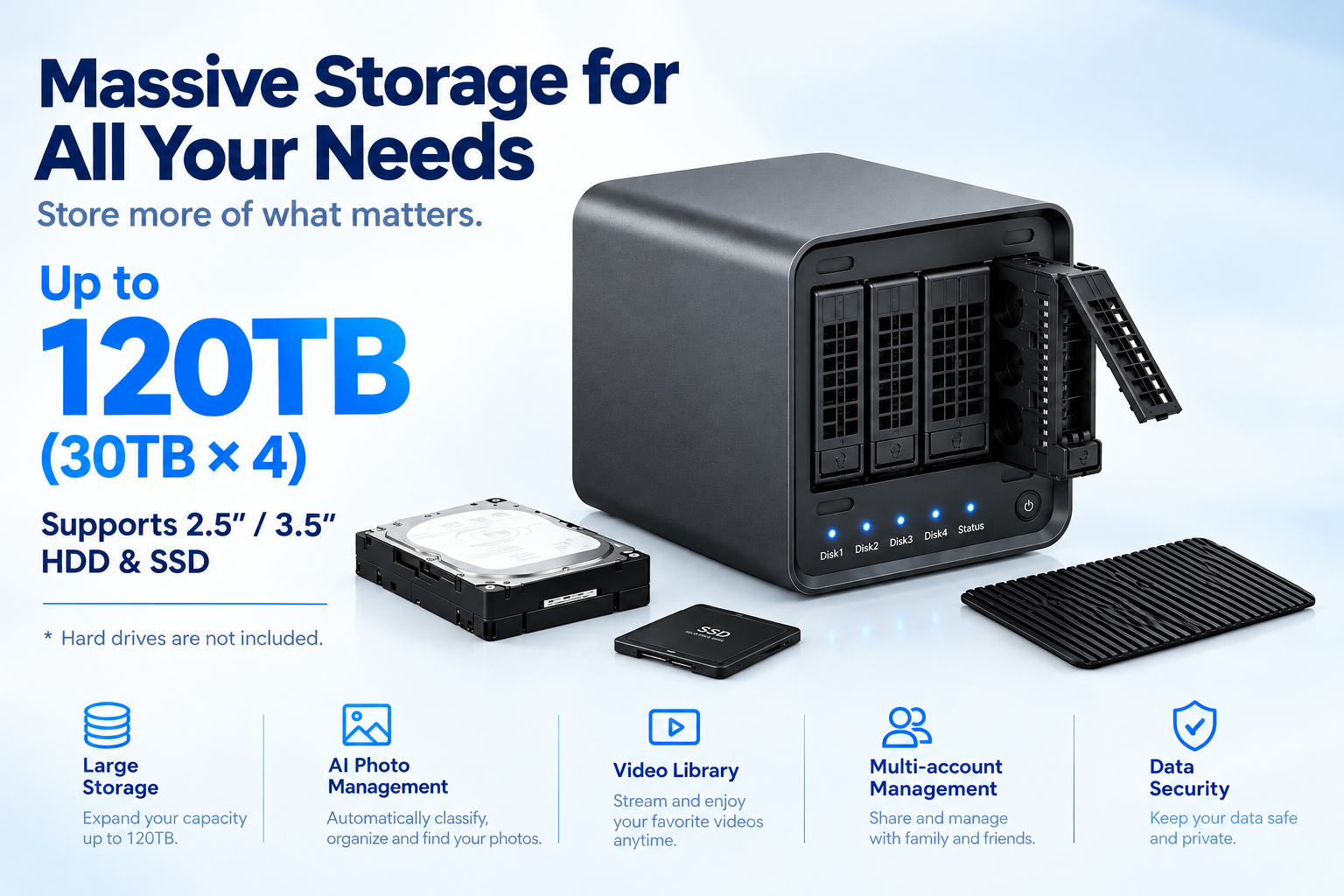
An archive appliance is specified like any other, with one addition: it has to stay readable in place. The verification list that matters most in a purchase review is short.
For this class of project the woCyber X4 4-bay enterprise NAS server is the platform most archive tiers are sized against, with the full range of bays and capacity steps on the product overview page. Two related reads help before that conversation: how retention windows are sized for camera fleets, since surveillance retention follows the same tiering logic, and how buyers verify a NAS server manufacturer when the order reaches four figures.
It only breaks if the archive is offline. The IDC white paper sponsored by Western Digital, surveying 763 IT and business decision-makers across seven countries, reports that 75.9% of respondents are bringing increasing volumes of archived cold-tier data back online, 96% expect faster archive retrieval to become necessary for AI inference and retrieval-augmented generation, and 74.6% of enterprise data already resides in warm, cool or cold tiers (IDC white paper for WD, 2026).
That finding reframes enterprise NAS cold data storage as an accessibility question rather than only a capacity question. The right archive tier keeps metadata and file content online on an appliance the search layer can reach; the wrong one saves a rack unit and turns every historical query into a restore request.
The common threshold is one year without modification, which is where, according to CTERA’s analysis, 83.1% of capacity sits. Some organizations move faster in high-volume departments — closed project folders at handover, for instance — and slower where regulatory retention is less predictable. Pick a threshold, document it, and apply it by directory.
Compare the archive set against the capacity ceiling of one chassis first. If the measured set fits inside a four-bay appliance with headroom, a single-box archive keeps retrieval local and administration simple. If it does not, a second appliance on the same network usually beats stacking drives beyond the retention plan’s comfort level.
Yes, and many small companies do exactly that: the same box holds live projects and the archive share, with quotas and policies keeping the two apart. The limits are retrieval contention and backup scope — once archive traffic competes with working-set traffic, splitting the tiers across two appliances becomes cheaper than living with the contention.
The point of the move is that archive data stops riding through every backup pass. Configure the archive share with a retention-based schedule instead of the daily full-plus-incremental cycle, and document both schedules so the restore procedure stays clear to whoever inherits the system.
State the measured archive set in terabytes, the parity layout you expect, the capacity ceiling of the chassis, the port layout, whether the appliance must host local services, and the documentation pack. Add MOQ from 100 units per model and the factory verification points if the order is part of a volume program.
Tell us your application, capacity target and deployment scenario — our engineers return a configuration proposal with tiered pricing within one working day.
White Label NAS Program for Regional Distributors: SKU Ladder, Branding Rights and Launch Costs A white label NAS for regional distributors is…
October 1, 2026Retail NAS SKU for Big Box Channel Partners: How Retailers Specify a Storage Line A retail NAS SKU for big box channel…
September 30, 2026NAS Manufacturing USA: Sourcing Guide for 2026 Brands Most NAS manufacturing USA comparisons start with the assembly line. The invoice disagrees. On…
Ask our export team for the OEM/ODM cooperation guide and a written quotation.