Leo · 2026-10
A 4-bay NAS for home media streaming gives a household four drive bays in RAID 5, which turns four 12 TB drives into 36 TB of usable library space, and the published X4 specification adds hardware 4K transcoding and 2×2.5GbE networking so large files move quickly and playback stays smooth. For most 2026 buyers, that combination is the practical sweet spot.

A NAS is a storage enclosure that attaches to your home network and serves files to every TV, phone and computer you own, and it is the piece of hardware a streaming household keeps adding to rather than replacing. This guide comes from the manufacturing side of that market: woCyber is the export brand of a Beijing-based storage hardware manufacturer with mass production in Shenzhen, and every number below comes from published product specifications or arithmetic you can re-run yourself.
Households carrying more than one library plus a backup job should start at four bays; a single-purpose backup box does not need them.
Three usage profiles converge on the 4-bay size in 2026. Families that shoot their own 4K video need space for growing clip libraries. Remote workers keep work archives next to personal collections and want the two separated. Prosumer buyers — users who self-host several services at once — run containers alongside media apps on the same chassis.
Consider a hypothetical household of two working photographers in Denver with two teenagers: under two terabytes of new RAW files a year, a 4K clip library that grows faster than the photo archive, and versioned backups for two work laptops. Two bays fill within the first year; four bays in RAID 5 carry the same household past year three without an enclosure swap. A workable threshold from that pattern: once yearly new files pass roughly two terabytes and a second active library joins the first, four bays are the size that survives three years.
Buyers routinely pay for bays they will not fill in year one, then under-specify the one component every stream has to cross: the network port. The sections below work through the four decisions that actually change the experience, starting with how much library four bays really absorb.
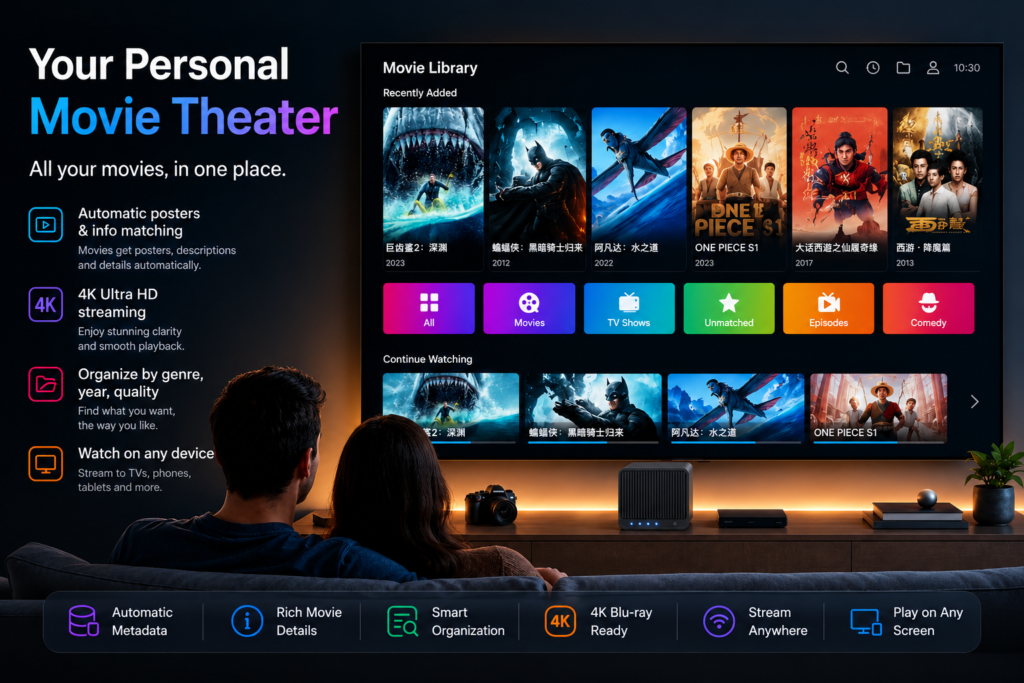
Four 12 TB drives in RAID 5 deliver 36 TB of usable space, which holds roughly 800 two-hour 4K movie files at 50 Mbps or about 2,600 files at 1080p bitrates.
The published specification of the woCyber X4 lists 4 drive bays, a 120 TB maximum capacity and RAID 0/1/5/6/10 support, with tool-free trays that accept 2.5-inch or 3.5-inch SATA drives, so capacity grows by swapping a tray rather than replacing the enclosure.
| Published spec point | woCyber X4 (4-bay) | woCyber S2 (2-bay) |
|---|---|---|
| Drive bays | 4 | 2 |
| Maximum capacity | 120 TB | 60 TB |
| Network | 2×2.5GbE, aggregation or failover up to 5 Gbps | 1×2.5GbE |
| CPU | Intel N100 | RK3568 + 1 TOPS NPU |
| Memory | 8 GB DDR4 (OEM option to 16 GB) | 4 GB DDR4 |
| Hardware 4K transcoding | Listed in the published specification | Not published |
Read the table as a capacity ladder rather than a ranking. The S2 is the correct chassis for a one-library household, and the X4 is the chassis for a library plus a backup target plus headroom for camera or container workloads later. Choosing between them is a workload question, and the next two sections supply the two workload tests that separate them most often.
Hardware transcoding converts a high-bitrate 4K file into a stream a phone or TV can decode in real time, and without it a low-power player either stutters or refuses the file.
Transcoding re-encodes video on the fly for a device that cannot play the original format, which is the difference between pressing play and running a conversion job first. The published X4 specification lists hardware 4K transcoding on the Intel N100 platform together with an HDMI output rated 4K at 60 Hz (4096×2160), so a directly connected display gets full-resolution playback without a network hop.
Households that stream to a single modern TV may never trigger a transcode, because current devices decode HEVC natively. The trigger points arrive with usage: two or more simultaneous viewers pulling different files, an older screen in the guest room, or remote access from outside the house. Each of those adds a conversion the platform must keep up with in step with playback, and software-only conversion on an entry-level CPU is where menus start to feel slow.
Every stream a household serves crosses the NAS network port, and the published X4 specification lists 2×2.5GbE with link aggregation or failover up to 5 Gbps, while the S2 carries a single 2.5GbE port as its baseline.
Both published woCyber designs reviewed in this guide carry 2.5GbE — one port on the S2, two on the X4 — so the comparison below assumes that port class rather than the older 1 GbE baseline, and any chassis you compare against should be quoted at the same port class for the numbers to mean anything.
The port class also sets the expectation for the one big transfer every household does exactly once: loading the initial library. At theoretical wire rate with no protocol overhead — an expectation-setting figure, not a measured speed — a 2.5 Gbps link moves about 1,125 GB per hour (2,500 ÷ 8 × 3,600 ÷ 1,000), so a 36 TB initial load occupies roughly a day and a half of continuous transfer. For projects that need more than that, the published X4 supports OEM port mixes of 1GbE, 2.5GbE and 10GbE.
For context on the peripheral side, the published X4 I/O includes two USB 3.2 ports and a USB Type-C 3.2 port, and the USB Implementers Forum maintains the specification those ports follow — worth checking against any dock or card reader you already own, because drive docks and card readers are the fastest path for loading a library without crossing the network at all.
RAID 5 is the default answer for a 4-bay media library: it survives one drive failure while keeping three of four disks usable, and it is one of the published RAID options on the X4.
The term comes from the 1987 UC Berkeley report that first defined the RAID levels, and its core argument still holds for a media library: redundancy costs raw capacity but buys a rebuild instead of a re-rip. A movie collection can be re-downloaded or re-copied from originals; family photo archives and work archives usually cannot, which is why parity beats a plain striped volume for anything stored once.
Worked example (illustrative, decimal terabytes): four 12 TB drives in RAID 5 yield (4 − 1) × 12 = 36 TB usable. A 2-hour 4K file at an average 50 Mbps occupies 50 × 7,200 seconds ÷ 8 = 45,000 MB, or 45 GB, so the library holds roughly 36,000 ÷ 45 = 800 such files. At a 1080p-typical 15 Mbps the same file drops to 13.5 GB and the count rises to about 2,600. Change one variable — drive size, RAID level — and the same arithmetic re-runs.
Growth should come from drive size before it comes from a second appliance, because four larger drives reuse the chassis, the network and the RAID setup you already run.
The same arithmetic shows why. Four 8 TB drives in RAID 5 give about 24 TB usable; moving to four 16 TB drives raises the figure to about 48 TB without touching the network port or the enclosure. The published X4 ceiling of 120 TB leaves the drive-size path open for years, and the tool-free trays mean the swap happens one drive at a time rather than as a rebuild project.
The exception is workload growth rather than library growth: a household that adds camera recording, a second media library in another language for relatives, or container services may exhaust CPU or RAM before it exhausts bays. The published X4 memory option extends to 16 GB through OEM configuration, which is where a spec conversation with the manufacturer settles the question faster than a guess at the shelf.
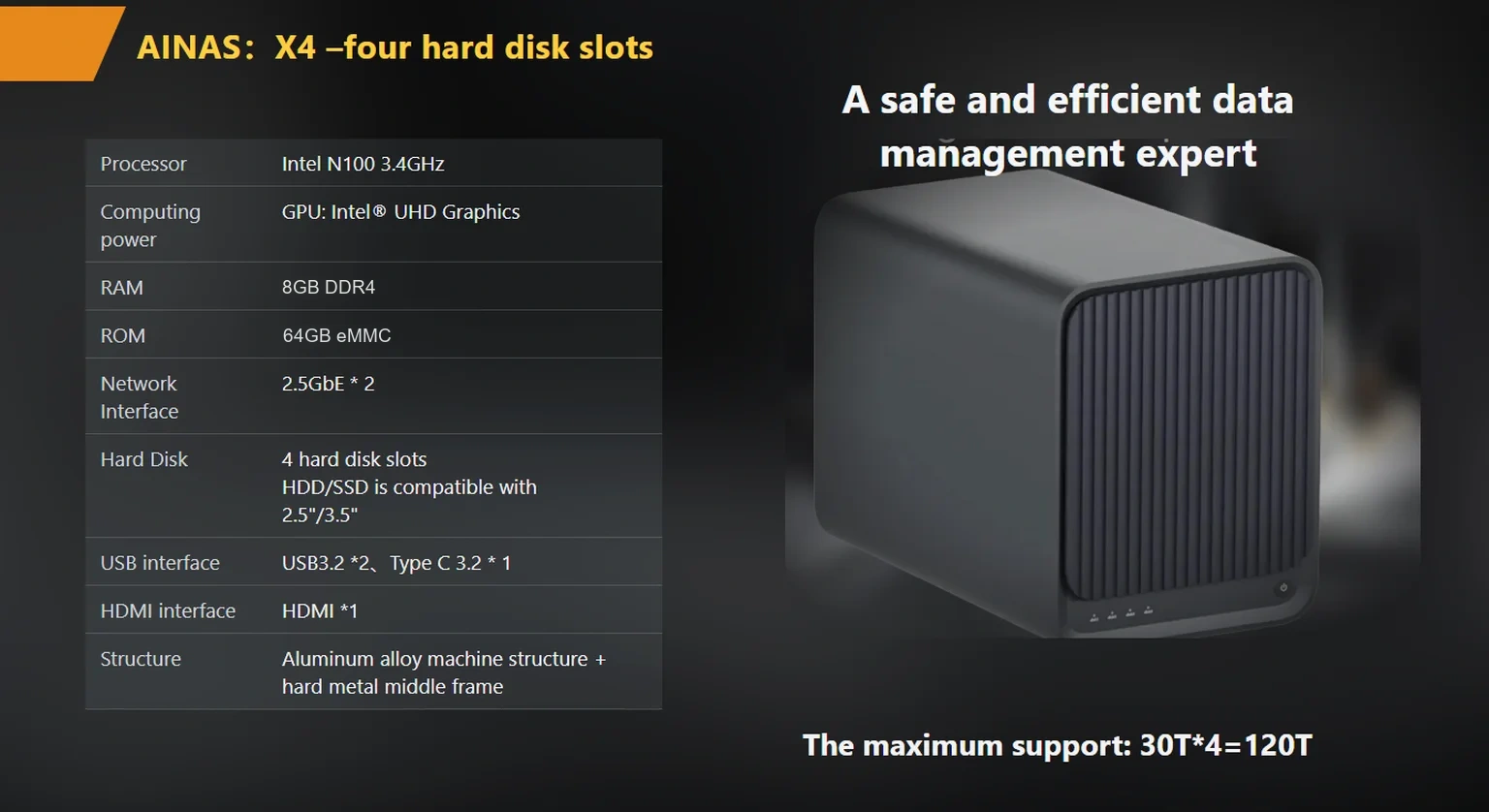
Confirm four things in writing: the transcode capability you actually need, the network port count, the RAID level the firmware enforces, and the commercial terms that apply to your order size.
The published X4 retail reference price is $400 for a single unit (USD, excluding shipping and duties) and the S2 sits at $195; both figures are published single-unit reference prices, and project or volume terms belong in the written confirmation you request from the manufacturer. Local storage architecture also removes the subscription line item that cloud media services add every month — the buyout-versus-subscription cost structure is covered separately for buyers weighing both paths.
If the profile in the opening section fits, the <a href="products/x4-nas-server“>woCyber X4 4-bay NAS server is the chassis the numbers above describe, and the <a href="products/s2-smart-nas“>woCyber S2 dual-bay smart storage hub covers the lighter profile.
Two further comparisons close the loop before a purchase order goes out: the <a href="monthly-subscription-fatigue-the-buyout-nas-option“>buyout versus subscription analysis prices the recurring-cost side of the decision, and the <a href="ai-nas-with-hardware-transcoding-buyer-checklist“>hardware transcoding checklist turns the transcode question into a test you can run during acceptance. Run the library arithmetic first, though — the chassis decision follows from it more reliably than from any feature list.
Whether you need surveillance storage, private cloud for business data or an OEM/ODM partner, our export team will map the right platform to your application — reply within one working day.
Key takeaways An FCC-recognized lab must hold the right scope for your device's rule part, not just any accreditation. A 2-bay NAS…
November 3, 2026Shared storage for deskside AI clusters refers to a storage appliance on the office LAN that holds datasets, checkpoints and embeddings for…
November 3, 2026A cloud storage subscription cost is the recurring fee a business pays to keep its files on a provider's servers, billed per…
Ask our export team for the OEM/ODM cooperation guide and a written quotation.
