Leo · 2026-09
Two quotations for an AI-capable storage appliance can read almost identically on paper and behave very differently in production, because the platform limits that decide whether a workload actually runs are rarely the lines buyers compare. AI-ready NAS hardware requirements cover five of those limits: memory ceiling, bay count and capacity, network throughput, media handling, and expansion headroom. An AI-ready NAS is a storage appliance whose processor, memory and network can hold datasets and model files locally and return them fast enough for retrieval or inference. Check those five limits before comparing prices — most disappointing AI storage builds fail on one of them rather than on the whole platform.
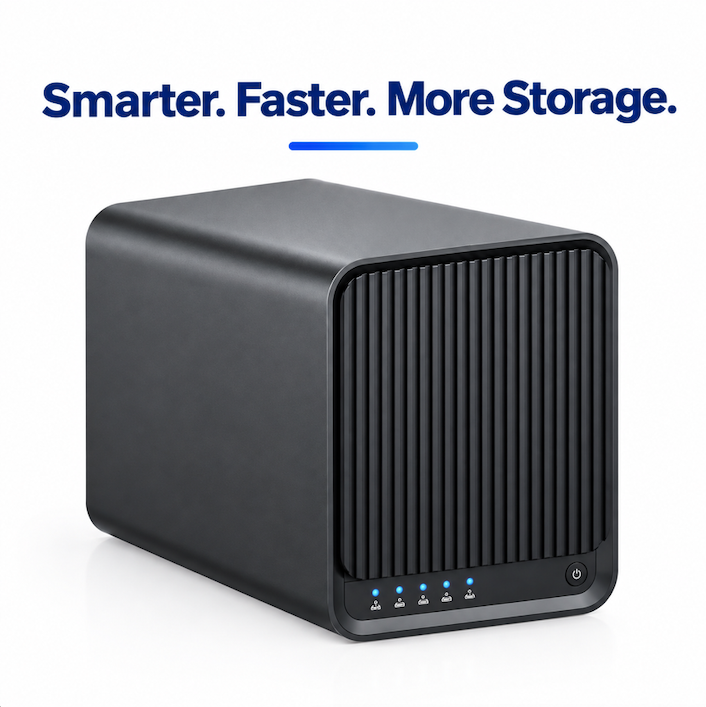
Why the checklist changed: AI projects now pull historical files back into active use instead of leaving them archived. Seagate’s 2026 Data Infrastructure Readiness Report surveyed more than 2,700 enterprise technology decision-makers across seven markets and found that 99% expect AI to raise their storage requirements over the next three years, while 43% named storage infrastructure among their leading AI deployment challenges (figures reported by StorageReview, September 2026). For a buyer, the consequence is narrow and practical: the appliance ordered this quarter has to accept a dataset, a model file, and the retrieval traffic that comes with both.
Strip away the marketing and an AI-ready NAS does three jobs. It keeps the working set — documents, media, model weights — on local disks you own. It exposes that working set over your own network fast enough that retrieval is not the slowest part of the pipeline. And it keeps computation and data inside your perimeter, so the security review ends at your rack rather than at a third-party data center.
Those three jobs generate the requirement list. A retrieval assistant (RAG — retrieval-augmented generation, where the model answers from documents it looks up rather than from retrained weights) reads many files per query, so random-read latency and network throughput weigh more heavily than raw sequential speed. A video analytics workload reads streams continuously, so disk count and retention policy drive the sizing. Both workloads care about memory far more than a file server does.
Memory is the requirement buyers most often underestimate, and its ceiling is set by the processor, not by the disk shelf. Intel’s published specification for the Intel Processor N100 lists a maximum memory size of 16 GB (Intel ARK specification page, retrieved 24 September 2026). That is why X4 is offered at 8 GB as standard with an OEM path to 16 GB — the second number is the platform limit, and no amount of later upgrading passes it.
Boot storage is a separate resource that buyers confuse with working storage. X4 carries 64 GB of eMMC for the operating system and application containers, with an OEM option up to 128 GB. Datasets do not live there; container images, indexes and logs do. When an assistant indexes a document corpus on the same box, boot storage and memory compete for the same headroom, which is why the OEM configuration conversation belongs before the order, not after it.
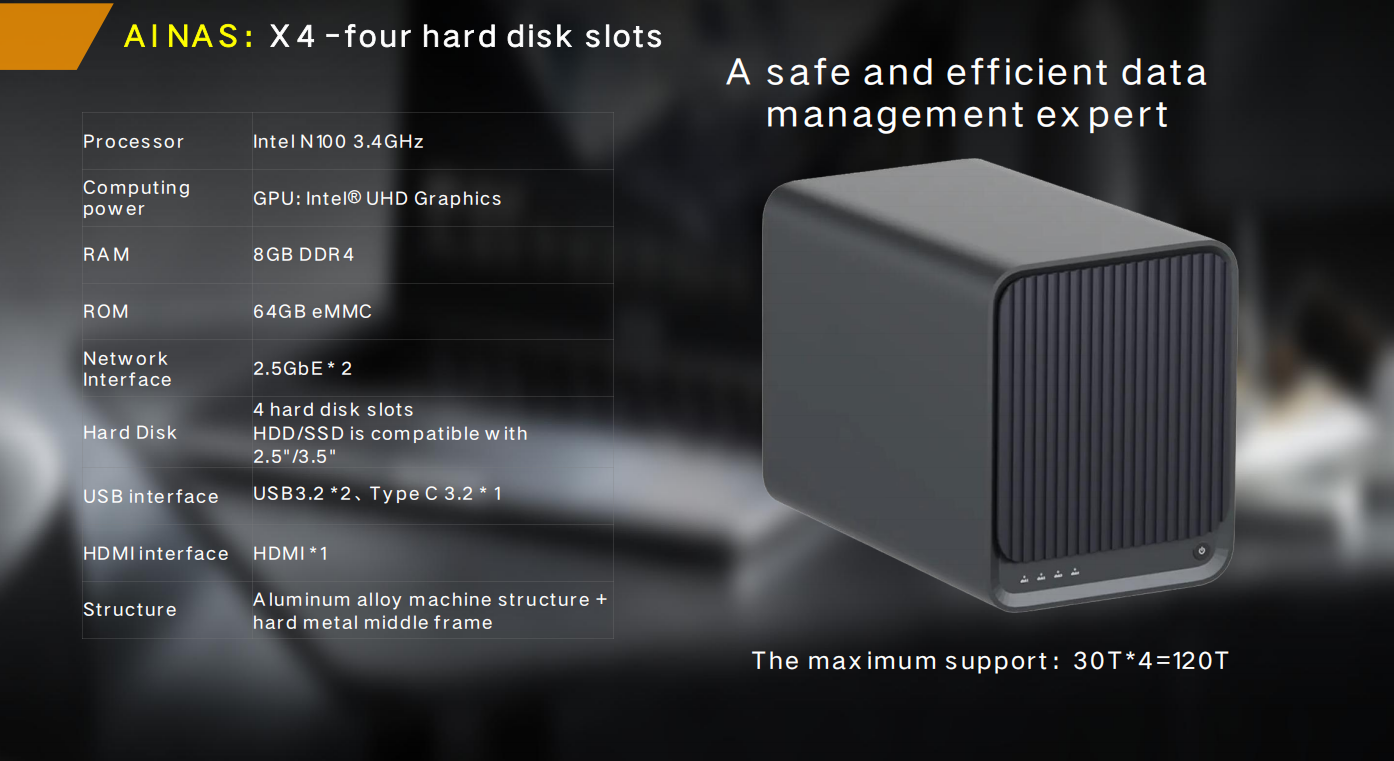
Bay count is the constraint that recurs every year in budget reviews. Four 30 TB drives give X4 a raw ceiling of 120 TB, and the RAID level you choose decides how much of that ceiling is actually addressable:
X4 supports RAID 0, 1, 5, 6 and 10, so the same chassis can serve a mirror-based backup target or a parity-based dataset store. The planning rule is simple: parity is capacity you buy but never fill with data.
Read the port line before the CPU line. S2 carries one 2.5GbE port for compact deployments; A2 Pro and A3 Pro carry 1 x GbE for quiet, low-power roles; X4 carries two 2.5GbE ports that can be aggregated or paired for failover up to 5 Gbps, and can be mixed with 1GbE / 2.5GbE / 10GbE ports at the OEM stage.
A worked estimate shows why this matters. A 2.5GbE link moving data at roughly two thirds of line rate carries about 200 MB/s, so an 8 TB dataset transfer takes about 8,000 GB / 0.20 GB/s = 40,000 seconds, or roughly 11 hours. Aggregate both X4 ports to 5 Gbps and the same move lands near 5.5 hours. If your team seeds the box once and then reads incrementally, that difference is a weekend project. If the assistant reindexes a large corpus after every schema change, it becomes a weekly tax.
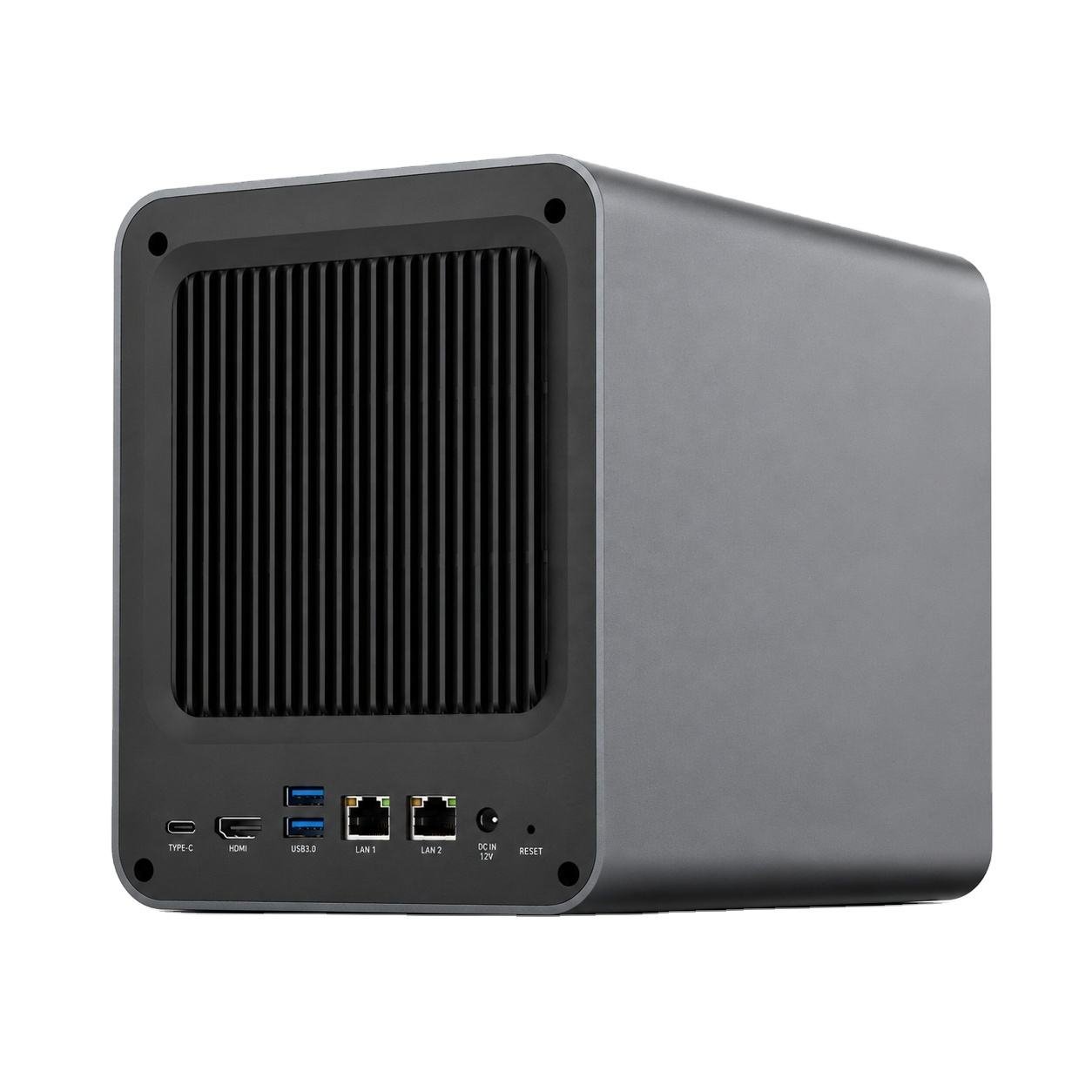
Video is where “storage with AI” and “AI with storage” diverge. A surveillance deployment needs continuous writes, retention tiers and a detection path; a media team needs scrubbing performance and transcoded outputs. Publisher hardware differs accordingly: S1 combines an edge AI NVR with private-cloud storage, classifies people, vehicles and pets on-device with a false-alarm rate below 3%, and keeps footage local, while X4 provides the hardware transcode and HDMI output path for 4K work at 4096 x 2160.
Neither path needs a cloud account to function, which is the point. Retention windows of 7, 14 or 30 days are configured on the appliance, and the compute that decides what an event is also lives there.

| Requirement class | Check on the datasheet | Where it breaks in practice | Platform reference |
|---|---|---|---|
| Working-set capacity | Channel support | Drive bays filled with unsupported drives; capacity ceiling reached early | X4: 4 bays, up to 120 TB |
| Memory headroom | Platform maximum, not installed size | Index and container growth exhausts memory, retrieval slows | X4: 8 GB DDR4, OEM to 16 GB |
| Retrieval throughput | Port speed and port count | Collaborators queue behind each other on a single link | X4: 2 x 2.5GbE; S2: 1 x 2.5GbE |
| Application hosting | Boot storage and container support | Services cannot be updated without wiping the boot volume | X4: 64 GB eMMC, OEM to 128 GB |
| Video ingestion | Transcode path and retention policy | Playback stutters; events are overwritten before review | S1: edge AI, 7 / 14 / 30-day retention |
| Growth path | Cache and uplink options | Chassis replaced rather than expanded in year three | X4 OEM: NVMe cache, 10GbE mixing |
Consider a hypothetical 60-person product company — engineering, documentation and a small legal team — that wants a local assistant answering questions from its own specifications. The working set is 40 TB today and grows by about a third each year, so the three-year target is roughly 70 TB before parity. A four-bay X4 loaded with 4 x 30 TB in RAID 5 yields 90 TB usable, which clears the three-year target without touching the platform ceiling; RAID 6 would leave 60 TB usable and require either larger drives or migration inside the third year.
The trade-off is real, not theoretical. RAID 5 leaves more usable capacity now; RAID 6 costs one drive of capacity and buys tolerance for a second failure while the array rebuilds. For a team whose assistant re-reads the whole corpus after every taxonomy change, the throughput decision carries as much weight as the capacity decision: aggregate both X4 ports and the reindex transfer window halves.
Write the AI-ready NAS hardware requirements down for the project, and require answers against each line. The list that survives procurement review includes the processor with a public spec page, the memory ceiling and not merely the fitted size, the bay count and maximum capacity, port count and speed, transcoding and output specification if video is involved, boot storage size, and the OEM options for cache and uplink. Add the commercial line items that decide whether the vendor can actually ship: MOQ from 100 units per model, the CE / UKCA / FCC / RoHS / REACH / WEEE documentation set, and the factory evidence behind the datasheet.
If the project matches the profile above, the woCyber X4 4-bay enterprise NAS is the platform to price first, with the S2 dual-bay smart storage hub covering quieter branch or edge deployments. Buyers comparing this class of hardware usually work through three further reads: how a branded AI NAS line is set up with an OEM partner, what OEM NAS manufacturing actually covers, and how retention windows are sized for camera fleets. The full platform range sits on the product overview page.
Because AI changes what “stored” means. The IDC white paper sponsored by Western Digital, based on a survey of 763 IT and business decision-makers across seven countries, reports that 94.7% of respondents store more data because of AI adoption, 74.3% retain data longer, and 75.9% are bringing archived cold-tier data back online (IDC white paper for WD, 2026). Data that used to sit quietly in an archive is now read on demand, which pushes retrieval capacity back onto the primary box.
That is the argument for checking AI-ready NAS hardware requirements against your own workload rather than against a product category, and for writing those AI-ready NAS hardware requirements into the requisition before any quotation is requested. The requirement that breaks a deployment is rarely the headline feature; it is the memory ceiling, the second network port, or the assumption that the archive would never be read again.
It depends on what runs on the same box. File serving alone is light; a local index or assistant service sharing the platform needs headroom for database pages and container overhead. Check the platform maximum first — Intel lists 16 GB as the maximum memory size for the N100 — then decide between the 8 GB standard configuration and the 16 GB OEM configuration.
For most retrieval and backup workloads, two aggregated 2.5GbE ports at 5 Gbps move an 8 TB dataset in about six hours, which fits an overnight window. Reserve 10GbE for sustained multi-editor video work or for a team that reindexes a very large corpus daily.
It limits raw capacity, not capability. Four bays at 30 TB per drive reach 120 TB, which covers a substantial document corpus plus model files. Where a four-bay box stops working is at the point where the working set outgrows the drives faster than the budget cycle renews them.
They can, and this is the design premise behind S1: an edge AI NVR and private-cloud storage in one chassis, with on-device classification, a false-alarm rate below 3%, and coverage for 7, 14 or 30 days. Camera traffic and file storage share the box instead of two separate purchases.
Ask for the platform specification page, the memory ceiling, the maximum capacity, the port layout, the OEM options for cache and uplink, and the certification set. For volume projects, confirm MOQ from 100 units per model, the burn-in and outgoing inspection routine, and which documentation pack ships with the order.
X4 delivers Intel N100 performance, dual 2.5GbE with link aggregation up to 5 Gbps, RAID 0/1/5/6/10 and up to 120 TB — built for integrators and commercial deployments.
White Label NAS Program for Regional Distributors: SKU Ladder, Branding Rights and Launch Costs A white label NAS for regional distributors is…
October 1, 2026Retail NAS SKU for Big Box Channel Partners: How Retailers Specify a Storage Line A retail NAS SKU for big box channel…
September 30, 2026NAS Manufacturing USA: Sourcing Guide for 2026 Brands Most NAS manufacturing USA comparisons start with the assembly line. The invoice disagrees. On…
Ask our export team for the OEM/ODM cooperation guide and a written quotation.